
I keep seeing the same kind of AI flyer popping up in my feed, and I need to rant about it for a minute.
What feels like ten different fonts. Way too much text. Everything competing for your attention. And somewhere in that mess, there's apparently a business trying to tell me what it does.
Please stop.
Most of these images look worse than stock photos. And stock photos already have the problem of telling me very little about your actual business.
I don't know if the owner made it, if somebody else is doing their marketing, or if they're just excited that they can type a sentence and get an image back. I get the appeal. You're busy, you need to post something, and this looks like a quick way to get it done.
But before you put your business name on it, look at what you're asking people to trust.
I can't even tell what the flyer is about
If I have to zoom in and sort through six competing headlines to figure out what you're offering, the flyer has already lost me.
A flyer needs to communicate something. Maybe you've got an opening next week. Maybe you're offering a service people don't know about. Give me that information clearly, with a way to contact you.
You don't have to fit your entire business into one image.
One of the local ads I saved is announcing that a Facebook page is live. It also has a row of service icons, town names on signposts, several slogans, a vehicle, mountains, and a request to like, share, and follow. That's a lot of work for somebody scrolling past a page announcement.
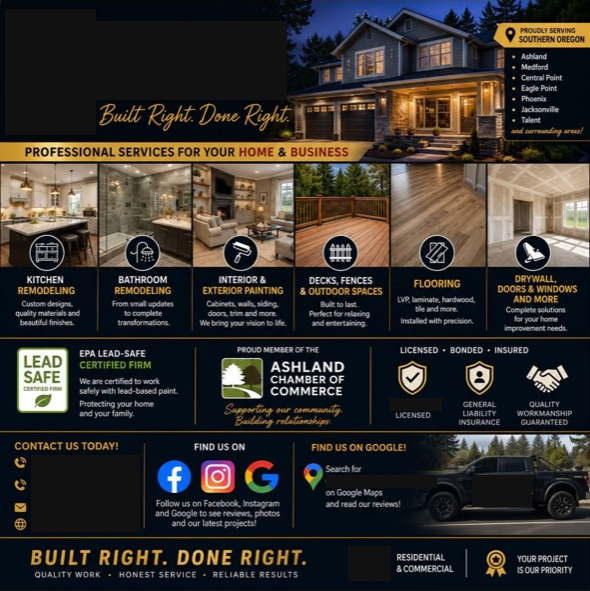
Another squeezes six home-improvement service categories, credentials, service areas, social links, and contact details into one graphic. Most of the explanations are tiny on my phone. There's enough information there for a brochure, but I'm seeing it in a Facebook feed.
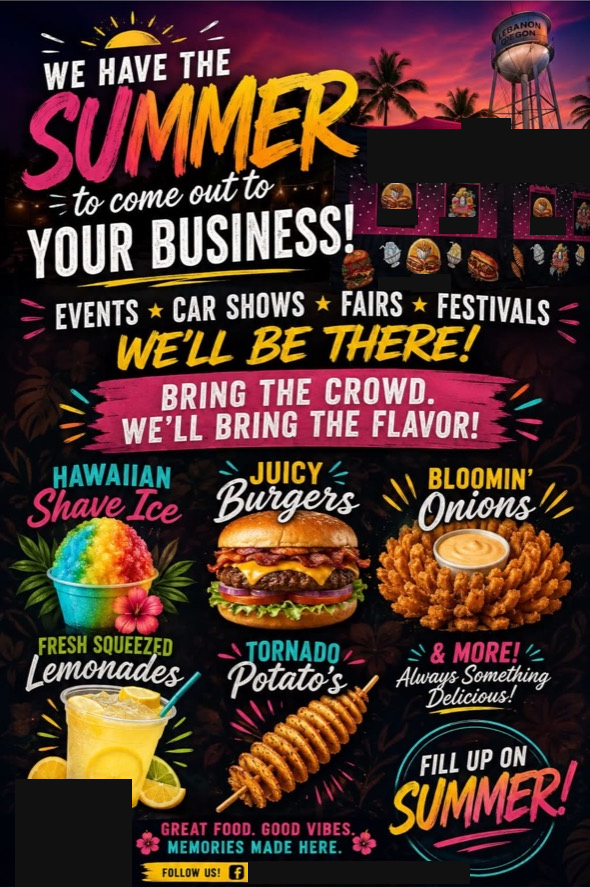
And one food flyer says, "We have the summer to come out to your business!" Read that out loud before you post it. What are you actually trying to tell the customer?
Then there's the question of what the pictures show. If you're advertising a remodel, I'd like to know whether that's a remodel you actually did. If you're selling food, show me a plate you actually serve. A polished picture leaves that question unanswered unless you give me some context.
Your neighbors are deciding who they want working on their car or coming into their home. I'd be worried about making that first impression with a picture that falls apart the longer somebody looks at it.
Now the conversation is about AI
One screenshot I saved has a comment asking the business to stop using AI and bringing up water use. The post is advertising meal preparation. That commenter is talking about how the marketing was made.
That's one comment. It doesn't tell me what every customer thinks, or whether the post brought in business. But it's exactly the kind of distraction I'd want to avoid. You put time into telling people about your food, and now you're having a conversation about AI instead.
I can't tell from a screenshot how every part of these flyers was made. Some have an AI info label; that still doesn't tell me whether a particular photo is real, edited, or generated. I can tell you when the text is hard to read and the message needs another pass.
Please use the photos you think aren't good enough
The photo you took on your phone at an actual job has something going for it: you actually did that work.
That matters.
I'd rather see your real shop, with the workbench in the background, than a generated version of a spotless shop that doesn't exist. Show me the repair. Show me what you found when you opened the wall. Explain why you did something a certain way.
You probably walk past things every day that would be interesting to a customer. They're ordinary to you because this is what you do for a living. Your customer doesn't see that stuff every day.
Take a clear photo. Wipe the lens, turn on a light, and make sure I can see what you're talking about. Get permission where needed and keep customer information out of the shot. You don't need a production crew.
Or record a short video explaining the job in your own words. Being a little awkward on camera wouldn't stop me from trusting you. Pretending a generated project is your work would.
Austin got on camera and showed the work
Credit to Austin at Southern Oregon Painting for getting in front of the camera and showing people his work. They're a client of mine, and this is exactly the kind of thing I've been encouraging.
He used his iPhone, pointed the camera toward himself, and then flipped it around to show the work. I know getting on camera can feel uncomfortable, and I appreciate him being willing to do it.
This particular video was put together by a video editor. Austin still had to get out his phone and record the footage. An editor can help shape it, but the person and the work are what give them something useful to work with.
I've also edited a similar client video myself. The footage was probably less than two minutes long, and it took me about five to ten minutes in Descript to add captions, a little music, and speed up the walkthrough. That separate video has gotten more impressions on the client's Google Business Profile than most of their photos.
That's one client's result, not a performance claim about the video linked here. More impressions don't tell me how many jobs it brought in. But for a quick recording and a few minutes of editing, it's the kind of content I'd like to see more business owners try.
He gave people a chance to see him, hear him explain the work, and look at the finished job. There's a lot a customer can learn from that before they ever pick up the phone.
For Google Business Profile, make a short cut of the footage: Google's published video guidelines specify up to 30 seconds. Keep the longer version for places where it fits. Google's photo and video guidelines
Put your face on the business
I really wish more owners were willing to do this.
If you're involved in the day-to-day work and you're the person the customer is going to meet, get on camera. Introduce yourself. Explain what you're doing the way you would if they were standing there with you.
If you've got a larger crew and the project manager is the person they'll actually deal with, have that person shoot the video. Let customers meet the people who will be showing up.
Think about making that first phone call. You've already seen the person explain a job. You've heard how they talk. You have some idea of what to expect. I think that goes a long way toward making someone comfortable calling you.
And if you're locally owned and working in the community, show that. I want to see the person who's going to answer for the work. I care about having people here in the valley who are invested in the place and the customers they serve.
It bothers me to think of a local business being treated mainly as a way to squeeze money out of a community and send it off to distant investors. If your business is built around your own work and relationships here, let people see that connection.
Give AI something real to work with
There are useful ways to bring AI into this process.
Start by talking about the actual job. What was the customer dealing with? What did you find? What would you want somebody with the same problem to understand?
You can use a dictation tool like Wispr Flow to get your spoken thoughts into text. Ramble a little. Explain it the way you would explain it to a customer standing next to you.
Then give that explanation to AI with your real photos and ask it to help organize the post:
Help me turn these notes into a short post for my business. Keep my wording where it makes sense. Don't invent details or results. If something is missing, ask me. Suggest which of these photos best supports what I'm explaining.
Read what comes back. Make sure it's accurate and still sounds like you. AI can misunderstand a photo or smooth your words into something you never meant to say.
That gives it a lot more useful context than "make a flyer about my plumbing business."
You can also ask for ideas about what to photograph on the next job, or help cutting a long explanation down to a readable caption. You're giving it actual experience to work with.
For a tool to help with that workflow, take a look at my guide to Meta Muse for small business owners.
Let people see the business they're hiring
This applies to your Google Business Profile too. Google specifically recommends photos of your team at work and photos that show the services you provide. Those help customers understand what your business does. Google's business photo guidance
I'm not promising a ranking jump or a bunch of extra views because you posted a real photo. I'm saying you're giving somebody useful information about who they're hiring.
That's where I'd put the effort. Take pictures while you're doing the work. Explain something your customers ask about. Let AI help you get those thoughts into a post you can actually use.
You already have a real business doing real work. Please show us that.